

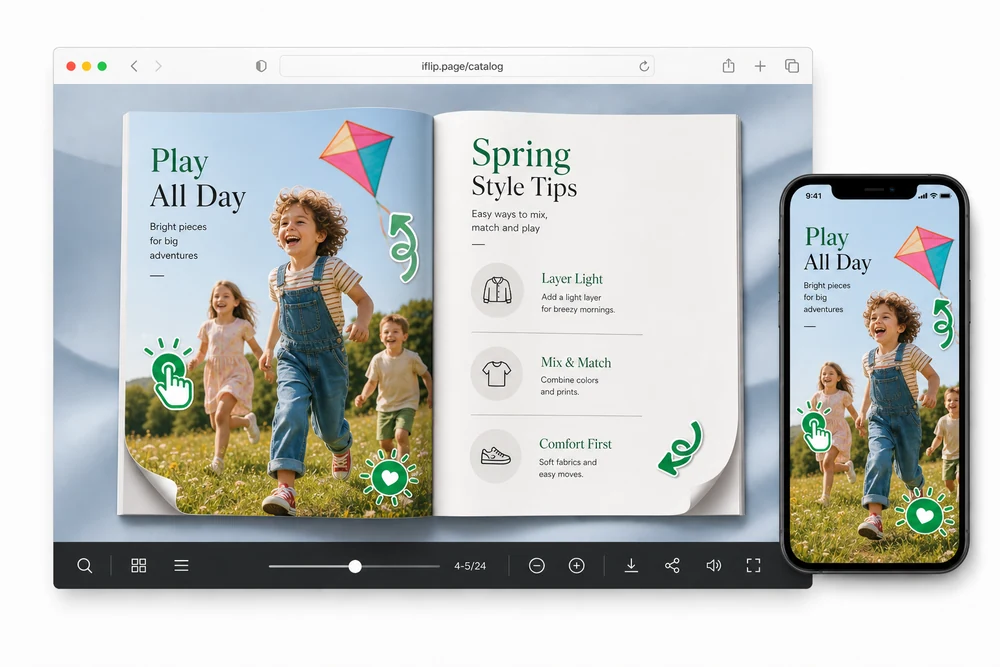
Why add animated GIFs
Static pages can hide the next step. A small looping sticker — an arrow, a tap, a pulse — pulls the eye to the product, CTA, or detail you want readers to notice.
Keep the PDF clean. Add motion only where it helps. Readers stay inside the flipbook while the sticker loops.
Two ways to place a GIF
GIFs Library
Draw a rectangle, open the library, and pick a ready-made sticker. Great for swipe cues, “look here” pulses, and shopper guidance.
Add your GIF
Upload your own animated GIF (transparency supported), place it on the page, then move and resize as needed.
Both options live under GIFs in page media. Use the library for speed. Upload when you need a custom brand animation.
Optional destinations
Leave the GIF display-only, or make it tappable:
- Website URL (new tab or same tab)
- Phone call
How you add one
- Open the flipbook and go to page media.
- Choose GIFs.
- Pick GIFs Library or Add your GIF.
- Draw the area on the page.
- Select or upload a GIF, set Options if you want a link, then save.
- Publish. Readers see the animation where you placed it.
Common setups
Catalogs and lookbooks
Point readers to a product detail, size chart, or “shop now” hotspot.
Brochures and menus
Highlight a featured offer or the next page without redesigning the layout.
Training and manuals
Mark the step readers should tap next.
Details that matter in practice
- Transparent GIFs keep the page art visible underneath.
- Library stickers are ready to place — no upload required.
- Linked GIFs open the destination; unlinked GIFs stay visual-only.
- Available on the Professional plan.
FAQ
What is the GIFs Library?
A built-in set of ready-made animated stickers — arrows, taps, pulses, and more — you can place on any page without uploading files.
Can I upload my own GIF?
Yes. Use Add your GIF to upload a single animated GIF, including transparent ones.
Can a GIF open a link?
Yes. In Options you can set None, Website URL, Phone, or Email — the same destinations as linked icons.
Which plan includes Animated GIFs?
Animated GIFs are part of the Professional plan (and available to try during the free trial).


